
Search Presets and My Lists
As the number of items (series, cases, and plug-in jobs) managed in CIRCUS increases, it becomes more difficult to find the items you want. Search presets and My Lists allow you to quickly find the items you are interested in.
The description in this page applies to the following three types of search:
- Series Search
- Case Search (CIRCUS DB)
- Plug-in Job Search (CIRCUS CS)
Search Presets#
A search preset is a named set of search conditions that you use frequently.
Making a Search Preset#
-
Go to one of the search pages, and perform a search as usual with the condition you want to save.
-
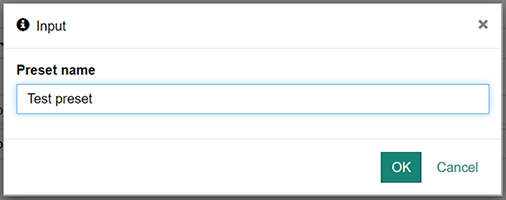
Click the "Save" button, and enter a name for the preset.
-
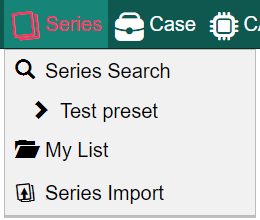
The saved preset will appear in the top menu (under "Series" for series search presets, "Case" for case search presets, "CAD" for plug-in job search presets).
Deleting a Search Preset#
You can delete a saved search preset in the User Preference page.
My List#
My List allows you to create a collection of items (series, cases or plug-in jobs).
Each My List can contain only one type of item. For example, you cannot create a My List that contains both cases and plug-in jobs. The number of items a list can contain is limited to 1,000.
Creating a My List#
-
Select one of the [My List] links under "Series", "Case" or "CAD".
-
Press [New] and enter a name for the new list.
You can delete or rename a list from the same screen.
Adding or Removing Items#
-
Go to any of the search pages, and click the checkbox to the left of each item.
-
Use the menu that appears at the top of the search results to select the list to which you want to add the items.