Editing Voxel Labels
Voxel Label is a powerful tool that allows you to define 3D ROI by "painting" voxels. To create a new voxel label, use the [Add] menu at the top of the series list.
Voxel Label Tools#
By creating and activating a voxel label, the following tools become available.

- Brush (B)
- Paints the clicked position with a square pen.
- Eraser (E)
- Unpaints the clicked position.
- (Width dropdown)
- Use this pulldown menu to change the width of the brush/eraser.
- Bucket (Shift+B)
- Fills the connected unpainted area from the clicked position.
- Bucket Erase (Shift+E)
- Erases the connected painted area from the clicked position.
- Wand (M)
- Paint voxels with a certain range of pixel values based on the pixel value of the clicked position. The threshold and maximum distance can optionally be set.
- Wand Erase (Shift+M)
- Like Wand, but erases the painted voxels.
Processing Voxel Labels#
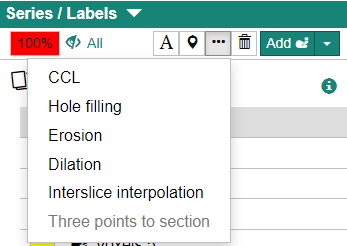
Click the […] button to perform several operations against the active voxel label.
Connected Component Analysis (CCL)#
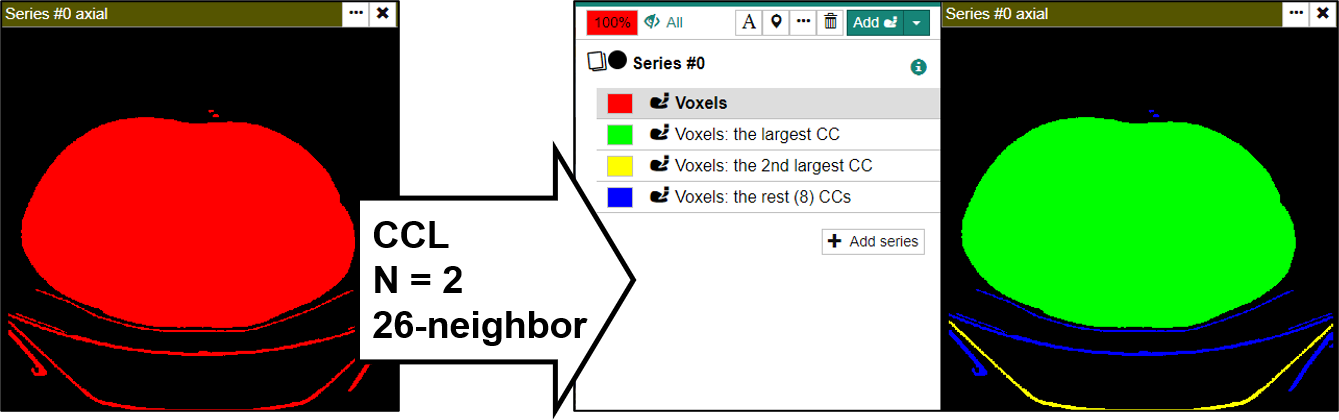
Splits the active voxel label into separate voxel labels for each connected group of voxels in 3D.
- Maximum number of connected components
- Creates N voxel labels in the descending order of volume. Remaining voxels are grouped into a single voxel label.
- Neighbors to decide same CC
- Method to judge if two voxels are connected (6- or 26-neighbors)
- Maximum number of tentative labels
- Increase this number when your voxel label is complicated.
Hole Filling#
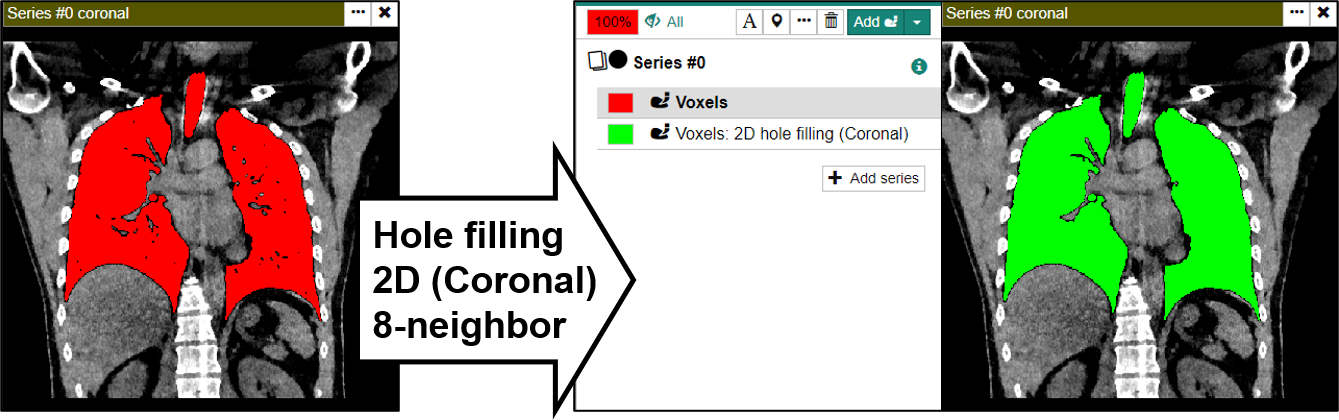
Performs a hole-filling on the active voxel labe.
- Dimension
- Select 2D-based hole-filling or 3D-based hole-filling.
- Orientation
- Processes each slice in the direction specified here (only applicable in 2D mode)
- Neighbors to decide same CC
- Method to judge if two voxels are connected (4- or 8-neighbors in the 2D mode, 6- or 26-neighbors in 3D mode)
- Maximum number of tentative labels
- Increase this number when your voxel label is complicated.
Erosion and Dilatation#
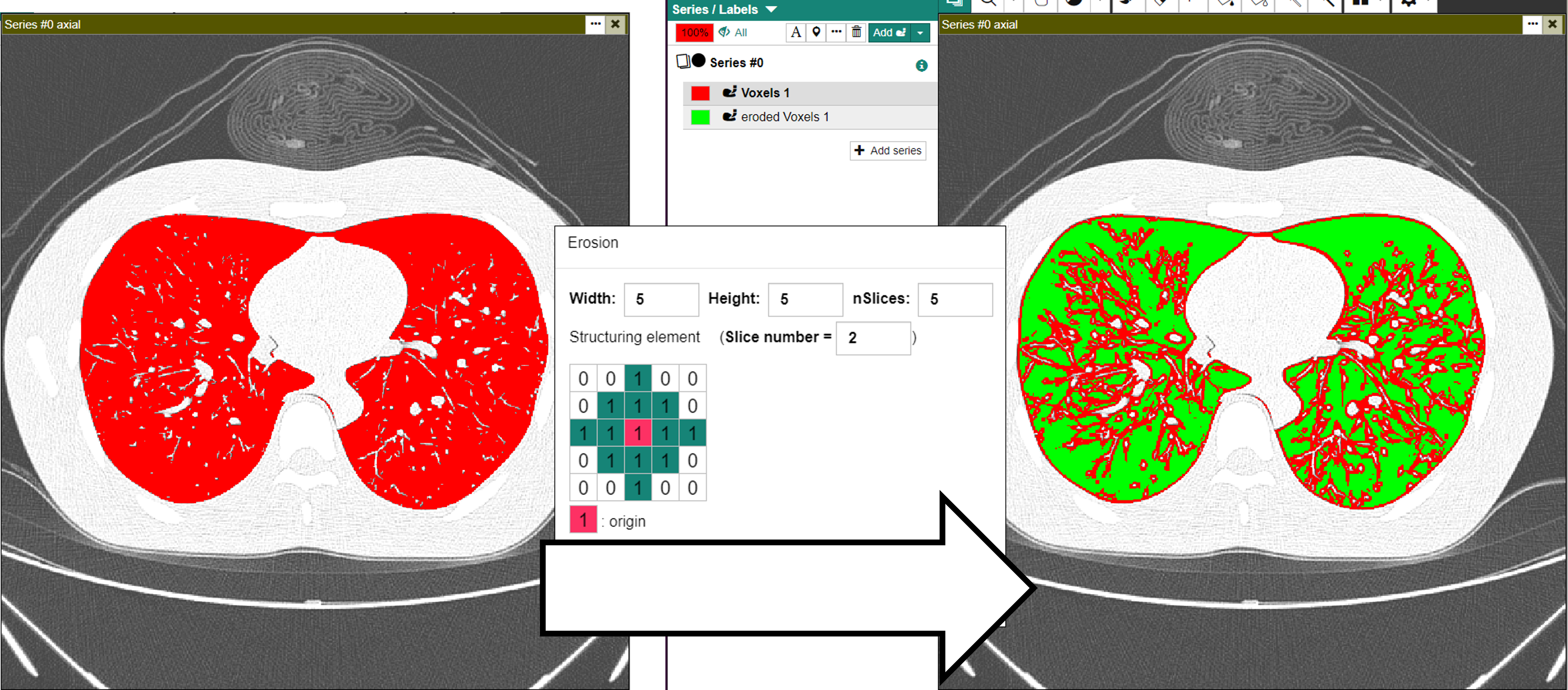
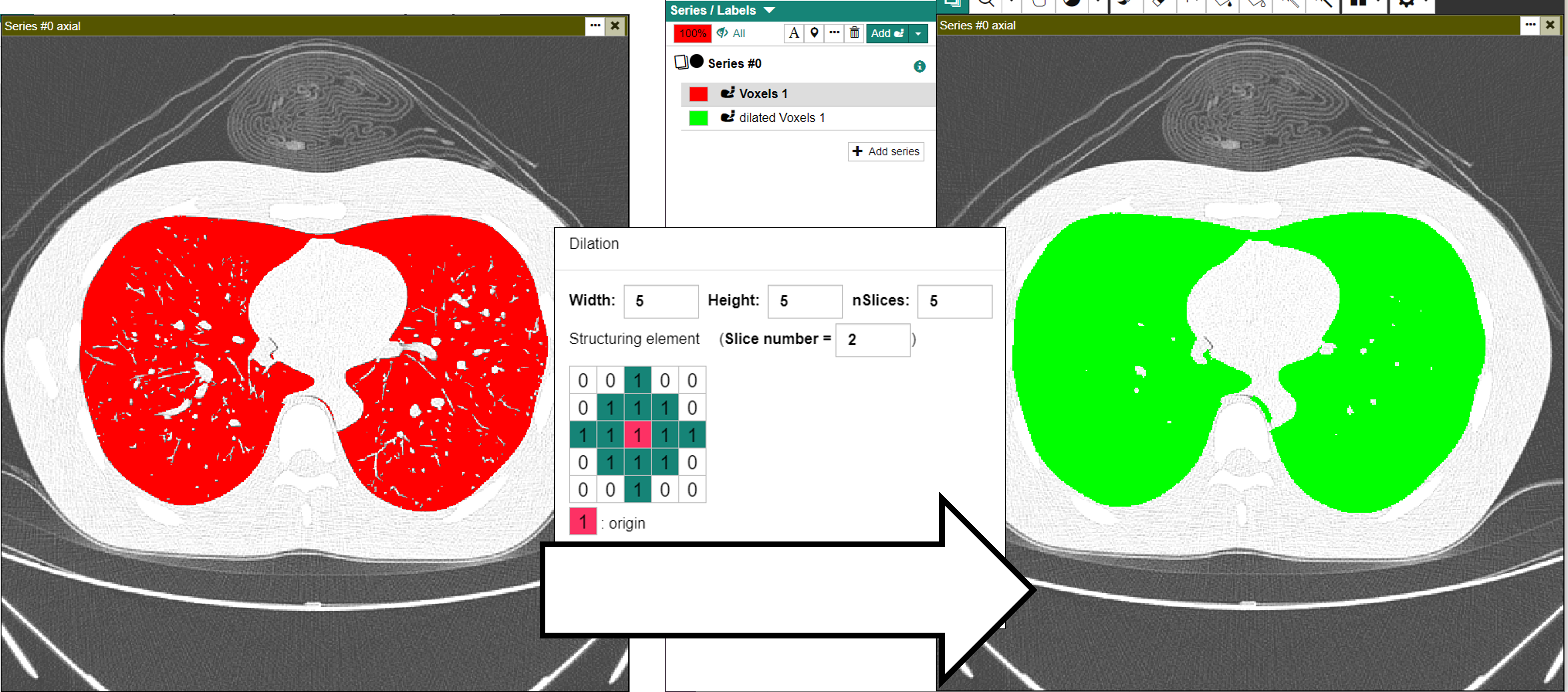
Performs erosion or dilation on the active voxel label.
- Width
- Width of the structuring element.
- Height
- Height of the structuring element.
- nSlices
- Depth of the structuring element.
- Structuring element
- The shape of the structuring element.
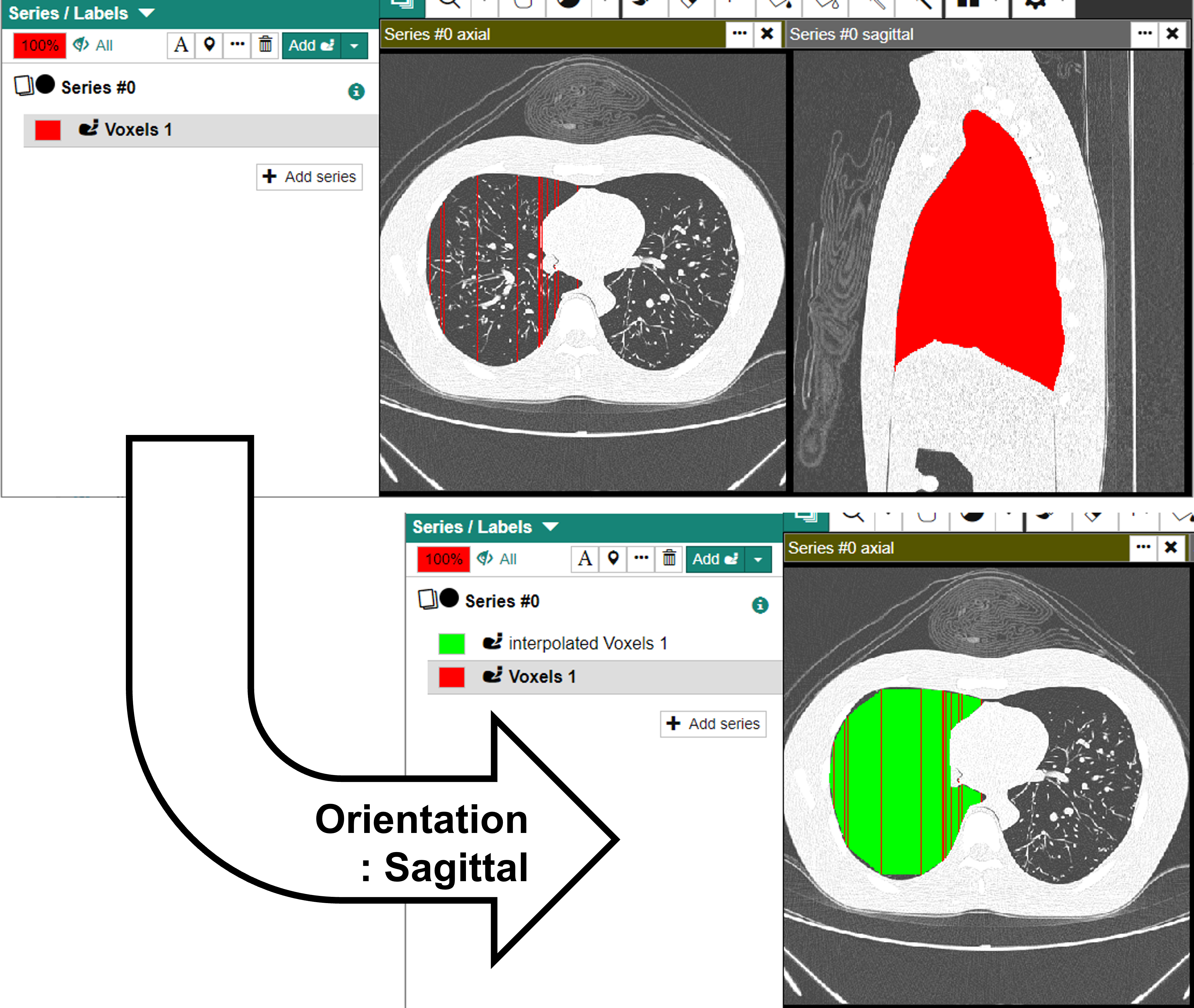
Interslice Interpolation#
Performs an interslice interpolation for the active voxel label.
- Orientation
- The orientation of the guiding slices.